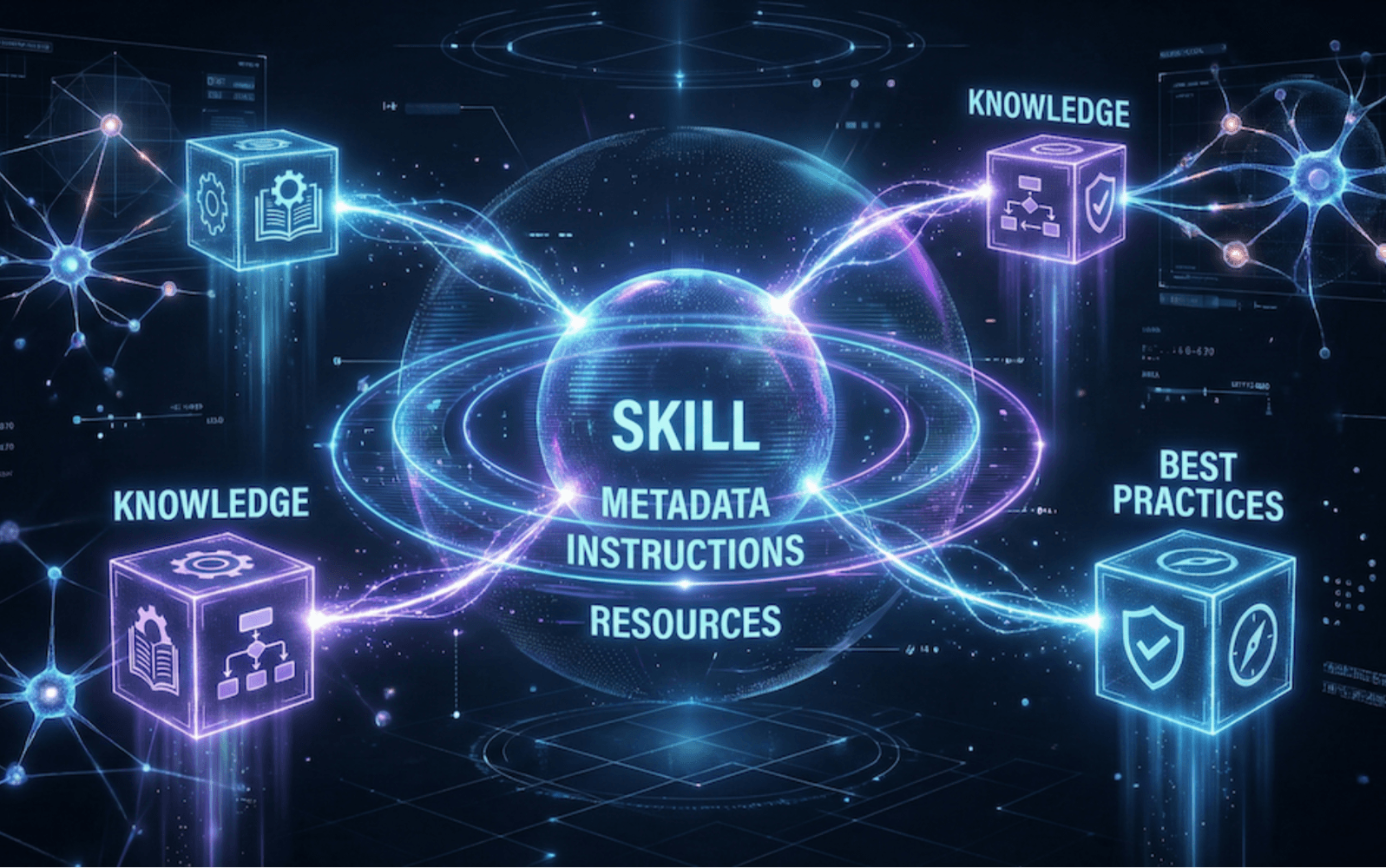
Skills can reduce token consumption by 75%. Its core value lies in "progressive disclosure" and "deterministic execution"—trading IO for tokens. This article deconstructs Skills' three-level loading mechanism to provide you with a technical decision tree for refusing blindly introduced complexity.
Created
Updated
Word count
3019
Reading time
15 minutes
1. What Exactly Are Agent Skills?
One-sentence Definition: Agent Skills are "executable capability packages" running in a VM environment, containing three types of content: instructions (instructions), scripts (code), and resources (resources), loaded on demand via a Progressive Disclosure mechanism.
Why isn't this just "Context Injection"?
Many people (including myself previously) misunderstand Agent Skills as an optimization technique for "stuffing documents into the Context." This is incorrect.
Core Capabilities of Agent Skills:
Executable Code: Skills can include Python/JavaScript scripts. When Claude executes a script, the code itself does not enter the Context; only the output (stdout/stderr) does. This allows you to encapsulate complex data processing and validation logic into deterministic code, rather than having the LLM generate it on the fly every time.
Filesystem Access: Skills run in a VM with a filesystem, allowing them to read/write files and execute bash commands.
Infinite Resource Storage: Since files are not consumed in Tokens until they are read, you can include dozens of reference files in a Skill and only load them when needed.
The engineering design of Skills is ingenious: it acknowledges that the Context Window is still a scarce resource, so it adopts a "tiered loading" strategy.
Key Understanding: Level 1/2/3 do not refer to "content types," but rather "loading timing."
Level 1: Metadata (Always Loaded, Loaded at Startup)
Loading Timing: When the Agent starts.
Token Cost: ~100 tokens/skill
Only name and description enter the System Prompt.
Even with 100 Skills installed, it only consumes a few thousand tokens.
Claude only knows "this Skill exists, and when to use it."
Level 2: SKILL.md Body (Loaded When Triggered)
Loading Timing: When a user request matches the description.
Token Cost: Usually < 5000 tokens (recommended < 500 lines).
Key Mechanism: When a user request matches the description, Claude reads the SKILL.md file:
bash
# Automatically executed by Claudecat /path/to/skills/postgres-schema-review/SKILL.md
At this point, the main content of the SKILL.md file (everything outside Level 1) enters the Context Window.
Example Content:
markdown
# PostgreSQL Schema Review## Quick Start
For most OLTP scenarios, default to Third Normal Form (3NF):
```sql
-- ✅ Correct: Split into related tables
CREATE TABLE orders (id BIGSERIAL PRIMARY KEY, user_id BIGINT);
CREATE TABLE order_items (id BIGSERIAL, order_id BIGINT, product_id BIGINT);
```
For frequently JOINED queries, refer to [references/denormalization.md](references/denormalization.md).
Level 3: Bundled Resources (Loaded As Needed)
Loading Timing: When Claude deems it necessary.
Token Cost: Theoretically unlimited (Scripts might be executed without reading).
A Skill can include additional resource files, recommended to be categorized by purpose:
postgres-schema-review/
├── SKILL.md              # Level 2: Main instructions
├── references/           # Documents and reference materials, will be read into Context
│   ├── denormalization.md
│   └── indexing_guide.md
├── scripts/              # Executable scripts, might be executed without reading into Context
│   ├── validate_schema.py
│   └── suggest_indexes.py
└── assets/               # Files for output, usually not read into Context
    └── schema_template.sql
Three Resource Types and Loading Methods:
References (Reference Documents, read into Context):
bash
# Executed by Claude when mentioned in SKILL.mdcat references/denormalization.md
→ File content fully enters Context.
Scripts (Executable Scripts, possibly read into Context):
bash
# Executed by Claude
python scripts/validate_schema.py schema.sql
→ Usually only the output enters Context:
❌ Table 'users': Missing index on 'email' column
❌ Table 'orders': Foreign key 'user_id' has no index
✅ All primary keys are BIGSERIAL
Note: Scripts do not entirely avoid entering Context. Claude might need to read the script content when patching or adjusting the environment.
Assets (Output Resources, usually not read into Context):
bash
# Copied by Claude when a template is neededcp assets/schema_template.sql user_schema.sql
→ Files are used but do not necessarily occupy Context.
Key Insight of this Design:
References are suitable for "flexible guidance" (requiring LLM understanding and reasoning).
Scripts are suitable for "deterministic operations" (token-efficient, reliable execution, reproducible results).
Assets are suitable for "templates/resources" (copied/modified, do not consume Context).
3. Benchmarks: How Much Do Skills Save?
Test Scenario: PostgreSQL Schema Review Agent
Plan A: Everything in System Prompt
System Prompt (8,500 tokens):
- PostgreSQL Best Practices Document (3,000 tokens)
- Common Anti-Patterns List (1,500 tokens)
- Schema Validation Rules (2,000 tokens)
- Example Schema (2,000 tokens)
Issues:
8,500 tokens loaded for every conversation, even if the user just asks "How to create a table."
Schema validation logic described in natural language, LLM execution is unstable.
Cost: $3/1M tokens × 8.5k = $0.0255/call.
Plan B: Using Agent Skill
Level 1 (Always): 100 tokens
Level 2 (Triggered): SKILL.md (2,000 tokens)
Level 3 (As Needed):
  - references/denormalization.md (1,500 tokens) - read only when needed
  - validate_schema.py - usually only output enters context (~50 tokens)
  - assets/*.sql - read only when needed
Schema validation accuracy increased from 85% to 99% (deterministic script).
4. Technology Selection: Skill vs Prompt vs MCP
Dimension
System Prompt
Agent Skill
MCP Server
Essence
Pure text instructions
"Capability Package" in VM (Instructions + Code + Resources)
External tool protocol
Runtime Env
LLM Context
Claude VM (has filesystem, bash)
Independent process
Loading Method
Always On
Progressive Disclosure
Dynamic invocation
Code Execution
❌ Not supported
✅ Executable scripts (code doesn't enter context)
✅ External tool invocation
Token Cost
High (all loaded)
Low (loaded on demand)
Very low (only input/output)
Data Source
Static text
Static files (local)
Dynamic systems (DB, API)
Best Scenario
Persona, basic rules
Best practices + deterministic validation
Real-time data queries, complex tool invocation
Decision Tree
Need to execute code?
├─ No → Is it simple rule (< 100 lines)?
│       ├─ Yes → System Prompt
│       └─ No → Agent Skill (Level 2 Instructions)
└─ Yes → Need to access external systems (DB/API)?
        ├─ Yes → MCP Server
        └─ No → Agent Skill (Level 3 Code)
Examples:
Requirement
Selection
Reason
"Code must use UTF-8"
System Prompt
A single rule.
"React Best Practices (500 lines doc)"
Agent Skill (Level 2)
Large body of instructions, low-frequency trigger.
"JSON Schema Validation"
Agent Skill (Level 3 Code)
Deterministic logic, more reliable when executed via Python.
Document Processing Skills (Production-grade, closed-source but code is public):
docx - Word document creation and editing
pptx - PowerPoint slide generation
xlsx - Excel spreadsheet handling
pdf - PDF document generation
Example Skills (Open source, Apache 2.0):
Creative: Art, music, design
Technical: Testing web apps, MCP Server generation
Enterprise: Communication, brand standards
Installation Method:
bash
# Claude Code
/plugin marketplace add anthropics/skills
/plugin install document-skills@anthropic-agent-skills

# Claude.ai
Available by default for paid users, no installation needed.

# Claude API
Upload via Skills API (requires beta headers)
Core Value: These implement the underlying logic for Claude.ai's documentation features, representing best practices for production-grade Skills. Document processing Skills contain complex Python scripts (Level 3 Code) for deterministic generation of Office documents, which is far more reliable than asking the LLM to generate XML directly.
Core Value: These are not "React beginner tutorials" but hundreds of production-grade specifications from Vercel Engineering. Because AI understands semantics better than ESLint, it can catch architectural Smell, like "abusing Client Components" or "Waterfall Fetching." Ideal for automatically reviewing performance issues when writing React/Next.js code.
Core Value: This is not SQL syntax correction, but advanced DBA knowledge. It includes best practices for Schema design, indexing strategies, Row-Level Security, connection pool configuration, etc. It can directly point out: "You should split this JSONB field into a related table because you frequently need to Update it." Suitable for designing database schemas or optimizing SQL queries.
Security Reminder: These three libraries are maintained by official or reputable organizations and are relatively safe. However, before using any third-party Skill, always review the code (see Section 8).
7. Skill Template: Standard Structure
Minimum Viable Skill
postgres-schema-review/
└── SKILL.md
SKILL.md:
yaml
---name:postgres-schema-reviewdescription:ReviewPostgreSQLschemadesignsforperformanceandbestpractices.Triggerwhenuserasksabouttabledesign,indexing,normalization,ordatabaseoptimization.---
# PostgreSQL Schema ReviewYouareanexpertPostgreSQLarchitecturereviewer.Whenusersdesigntablestructures,reviewagainstthefollowingstandards.## Core Principles1.**AlltablesmusthaveaPRIMARYKEY**.2.**AllForeignKeysmusthaveanindex**(PostgreSQLdoesnotcreatetheseautomatically).3.**UseBIGSERIALforIDfieldsbydefault**(unlessthetablewillforeverbe<10Krows).## Common Anti-Patterns### ❌ VARCHAR without length limit```sqlCREATETABLEusers(emailVARCHAR);--Incorrect```**Problem**:Storagebloat,potentialindexinefficiency.**Fix**:```sqlCREATETABLEusers(emailVARCHAR(255));```### ❌ JSONB for frequently updated fields```sqlCREATETABLEorders(itemsJSONB);--Incorrectif'items'isfrequentlyupdated```**Problem**:UpdatingJSONBrewritestheentirefield,leadingtoinefficiency.**Fix**:Splitintoarelatedtable.## Output FormatWhenissuesarefound,output in this format:```❌ [TableName].[FieldName]: [Issue]
Suggestion: [Modificationplan]
Reason: [Justification]
```
#!/usr/bin/env python3import sys
import re
defvalidate_schema(sql_file):
withopen(sql_file) as f:
content = f.read()
issues = []
# Check: VARCHAR without length limitif re.search(r'VARCHAR\s*\)', content, re.IGNORECASE):
issues.append("❌ Found VARCHAR without length limit")
# Check: If all tables have a PRIMARY KEY
tables = re.findall(r'CREATE TABLE (\w+)', content, re.IGNORECASE)
for table in tables:
ifnot re.search(rf'{table}.*PRIMARY KEY', content, re.IGNORECASE):
issues.append(f"❌ Table '{table}' missing PRIMARY KEY")
if issues:
for issue in issues:
print(issue)
sys.exit(1)
else:
print("✅ Schema validation passed")
if __name__ == '__main__':
validate_schema(sys.argv[1])
Referencing the Script in SKILL.md:
Automatic Validation
To automatically check common issues, execute:
bash
python scripts/validate_schema.py schema.sql
Claude will automatically execute the script; only the output enters Context, not the code itself.
Field Requirements
name:
Max 64 characters.
Must contain only lowercase letters, numbers, and hyphens.
Cannot contain reserved words (anthropic, claude).
description:
Max 1024 characters.
Must state "what it does" and "when to trigger."
7.1 Skill Packaging: From Directory to .skill File
After creating a Skill, it needs to be packaged into a .skill file for distribution and installation. A .skill file is essentially a zip archive with the extension changed to .skill.
Official Packaging Script: package_skill.py
Anthropic provides an official packaging script package_skill.py (located in the scripts/ directory of the anthropics/skills repository), which automatically validates and packages your Skill.
Basic Usage:
bash
# Package the Skill (output to current directory)
python scripts/package_skill.py path/to/skill-folder

# Specify output directory
python scripts/package_skill.py path/to/skill-folder ./dist
Packaging Process:
Validation Phase (automatic execution):
Checks YAML frontmatter format and required fields (name, description).
# User installs
/plugin install path/to/my-skill.skill
Published to GitHub:
bash
# User installs from GitHub
/plugin marketplace add your-org/skills-repo
/plugin install my-skill@your-org-skills-repo
Uploaded to Anthropic Skills API (requires beta headers):
python
# Upload via API
client.beta.skills.upload("my-skill.skill")
8. Security Advice: Only Use Trusted Sources for Skills
Critical Warning: Skills can execute code. A malicious Skill could:
Steal data (read filesystem, send to external servers).
Abuse tools (execute dangerous bash commands).
Misrepresent functionality (claim to be "code review" while secretly planting backdoors).
Checklist Before Using Third-Party Skills:
✅ Review all files: Including SKILL.md, scripts, images.
✅ Check for network calls: Search for fetch, requests, curl, wget.
✅ Check file operations: Search for open(), write(), rm, chmod.
✅ Verify external URLs: Skills pulling content from external URLs pose high risk.
✅ Validate the author: Only use Anthropic official or organization-reviewed Skills.
Only use Skills from these sources:
✅ Anthropic official pre-installed Skills
✅ Skills you created yourself
✅ Skills reviewed internally by your company/team
❌ Skills downloaded randomly from the internet
9. Migrating from Prompt to Skill: A 3-Step Action Plan
Step 1: Identify Candidate Content (30 minutes)
Review your System Prompt and find sections matching these characteristics:
Characteristic
Example
Suitable for Skill?
Simple rules (< 50 lines)
"Code must use UTF-8"
❌ Keep in Prompt
Structured documentation (> 500 lines)
React Best Practices
✅ Migrate to Skill
Contains deterministic validation logic
JSON Schema validation
✅ Migrate to Skill (as scripts)
Requires large amounts of reference material
API docs, Schema examples
✅ Migrate to Skill
Step 2: Split into Atomic Skills (1-2 hours)
Anti-pattern (Bad):
full-stack-best-practices/ # Too big, handles everything
Pattern (Good):
postgres-schema-review/ # Only handles database design
react-component-style/ # Only handles React components
api-design-principles/ # Only handles API standards
Migration Checklist:
✅ Create SKILL.md, move documentation content into it.
✅ Identify "deterministic logic," rewrite as Python/JS scripts (put in scripts/).
✅ Place large reference materials into references/ or assets/.
✅ Clearly state trigger conditions in the description.
✅ Use package_skill.py to package (see Section 7.1).
Step 3: Validate Results (1 Week)
Metric
Target
Measurement Method
Token Consumption
Decrease > 50%
LLM Provider Dashboard
TTFT
Decrease > 30%
Browser DevTools Network
Accuracy
No decrease
Manual spot-check 10 conversations
Script Reliability
> 95%
Test execution success rate (if Scripts are used)
If results are insignificant: Your System Prompt was likely already concise, so no optimization was needed.
10. Summary
Core Points
Agent Skills are not "splitting a Prompt into files", but rather "capability packages running in a VM."
The Killer Feature of Skills is Scripts: Deterministic scripts usually only load output (not the code itself) into Context, ensuring reliable execution and token efficiency.
Progressive Disclosure is the correct engineering tradeoff: The three-level loading mechanism (Metadata → SKILL.md → Bundled Resources) consumes tokens on demand.
Use Cases
Content
Solution
Rules < 100 lines
System Prompt
Best practices documentation > 500 lines
Agent Skill (SKILL.md)
Deterministic validation (Schema checks, format conversion)